


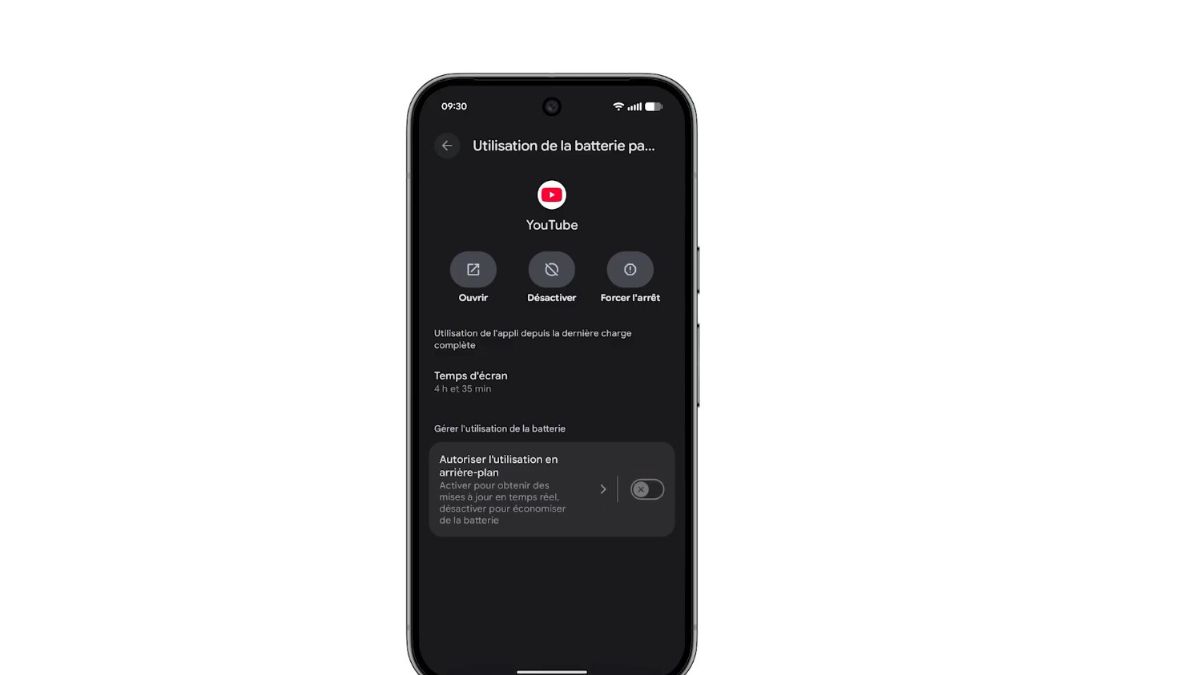
The Pixel 7 is often presented as a well-optimized smartphone, capable of offering stable battery life even without intensive use. However, many users notice a drop in battery during standby, sometimes significant, while the phone remains idle for several hours without being used. Upon checking the statistics, a frequent surprise appears: it is the pre-installed Google applications that top the consumption list.
When the Pixel 7 goes into standby, it doesn’t actually turn off. Android keeps a series of services active to ensure the reception of notifications, data synchronization, and certain internal tasks. On Pixel smartphones, these processes are strongly linked to the Google applications integrated into the system.
According to a study published in 2024 by Counterpoint Research, nearly 46% of standby consumption on Android comes from system services and not from applications opened by the user. On Pixels, this proportion is often higher because Google favors deep integration of its services.
Result: even without touching the phone, the Pixel 7 continues to exchange data, update certain content, and check information in the background.
Several Google applications do not behave like regular applications. They never completely close because they play a central role in the functioning of Android.
Among the most active in standby, we find
Google Play Services, which manage notifications, synchronization, and communication between applications
Google Play Services for AR, used occasionally but rarely completely inactive
Google, the main application, which powers Discover, the assistant, and certain suggestions
Google Location, solicited by many services even without an open application
According to measurements taken on Pixel 7, Google Play Services can account for up to 25% of standby consumption over an 8-hour period, even when the phone is not in use.
Synchronization is one of the most demanding mechanisms on Android. On Pixel 7, it is enabled by default for many Google services. Contacts, calendar, emails, application data, everything is regularly updated.
Each synchronization triggers network activity, a processor wake-up, and sometimes access to sensors. Even if each action consumes little energy, their constant repetition ends up weighing on battery life.
Figures published by Android Authority show that an Android phone with full synchronization active can lose between 6 and 10% of battery overnight, compared to 2 to 4% when synchronization is limited.
On the Pixel 7, location is not limited to navigation applications. It is used by Google to improve certain suggestions, refine contextual data, and power internal services.
Even without opening Google Maps, the phone can
check Wi-Fi points
cross-reference network data
update information related to movements
Tests conducted by independent laboratories indicate that background location can account for up to 15% of standby consumption on Pixel smartphones, compared to about 8% on other less integrated Android models.
The home screen of the Pixel 7 integrates Google Discover. This news feed updates regularly, even when the user does not consult it. Each update involves a network connection and local processing.
The Google Assistant also remains partially active to detect certain requests, manage reminders, or prepare contextual responses. This activity is discreet but constant.
According to an analysis conducted in 2023 by XDA Developers, Google Discover and the Assistant combined can account for up to 12% of standby consumption on a Pixel configured by default.
Unlike other manufacturers, Google prioritizes a service-oriented experience. On Pixel 7, Android gives high priority to Google applications because they are considered essential for the overall functioning of the system.
This means that
they are less often paused
they bypass certain standby restrictions
they can wake the phone more easily
This logic aims to ensure quick notifications and reliable synchronization, but it results in a less stable standby battery life when everything is left active.